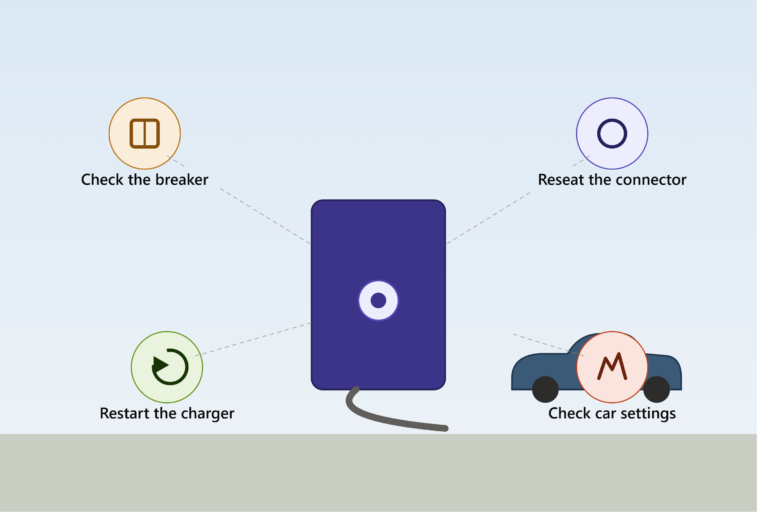
A reset resolves a surprisingly large share of home charger problems — network glitches, unresponsive LEDs, scheduling that stopped working, or a charger that simply won’t start a session. There are three distinct levels of reset, from mildest to most disruptive, and starting with the wrong one either wastes time or wipes settings you didn’t need to lose. Here’s the right order to try them.
Level 1: Soft Reset (Try This First)
A soft reset restarts the charger’s software without cutting power or erasing your saved settings — it’s the least disruptive option and should always be your first move.
How to do it, if your charger has a companion app (ChargePoint, Wallbox, Emporia, and most modern smart chargers do):
- Open the manufacturer’s app and navigate to your specific charger’s device page
- Look for a Reboot or Restart button, usually under device or advanced settings
- Confirm the reboot — this instructs the charger to restart itself remotely without you touching the physical unit
- Wait; depending on the model and firmware version, this can take anywhere from 30 seconds to several minutes to complete
A soft reset is specifically designed to clear temporary software glitches — network drops, a frozen display, a scheduling conflict — while preserving your amperage settings, WiFi connection, and charging schedule. It won’t fix a hardware fault, but it resolves a genuinely large share of “my charger just stopped responding” situations.
[AD BREAK — insert in-content ad unit here]
Level 2: Hard Reset (Power Cycle at the Breaker)
If the soft reset didn’t help, or your charger has no app at all, the next step is a hard reset — physically cutting and restoring power at the breaker.
- Locate the dedicated breaker for your charger in your home’s electrical panel (most chargers run on their own dedicated circuit, which should be labeled if your electrician marked it during installation)
- Switch the breaker off completely
- Wait at least 30 seconds to 2 minutes — this pause matters more than it might seem. It allows internal capacitors to fully discharge and the charger’s internal systems to completely reset, rather than just briefly flickering off and immediately back on
- Switch the breaker back on and allow the charger several minutes to complete its own internal self-test — many units flash their LEDs (often green) during this startup sequence before returning to normal standby status
This hard reset clears most faults caused by brief power interruptions, firmware hiccups that a soft reset couldn’t resolve, or a charger that’s become genuinely unresponsive rather than just glitchy. It resets the hardware itself, not just the software layer.
Important safety note: always use the breaker or a dedicated power cutoff switch to do this — never attempt to access or open the charger’s internal housing yourself. If a fault requires opening the unit itself (rather than just cycling power at the breaker), that’s a job for a licensed electrician, not a DIY step.
Level 3: Factory Reset (Last Resort)
A factory reset is the most disruptive option and should be reserved for situations where soft and hard resets both failed to resolve the issue — it wipes your saved settings, including WiFi credentials, charging schedules, and any utility rate plan connections you’ve configured.
What it typically involves:
- On most smart chargers, this is done through the app’s advanced settings menu, often requiring you to be connected to the charger via Bluetooth while standing near the physical unit
- Some chargers also support a physical factory reset via a button on the unit itself — commonly by holding a reset button for an extended period (5+ seconds on some models), though this varies significantly by brand, so check your specific manual rather than assuming a universal button-hold time
- After a factory reset, you’ll need to fully re-pair the charger with your home WiFi, re-enter any utility rate plan or scheduling information, and reconnect it to the manufacturer’s app from scratch
When this is actually necessary: persistent connectivity issues that survive both soft and hard resets, a charger that’s stuck showing incorrect scheduling or rate information even after reconfiguring it, or before troubleshooting further with manufacturer support (many support teams will ask if you’ve already tried a factory reset before proceeding to a warranty claim or replacement).
[AD BREAK — insert in-content ad unit here]
After a Power Outage: A Slightly Different Situation
If your charger stopped working because of a home power outage rather than an ongoing glitch, the process is similar to a hard reset but deserves a bit more patience:
- Confirm the dedicated breaker for your charger
- Turn it off and leave it off for at least two full minutes (slightly longer than a standard hard reset, to ensure any residual charge from the outage event has fully dissipated)
- Restore power and allow several minutes for the unit to complete its full reboot sequence before attempting to charge
Charging immediately after restoring power, without this waiting period, is a common cause of what looks like a mysterious ongoing fault but is really just the charger not having finished its restart cycle yet.
What a Reset Won’t Fix
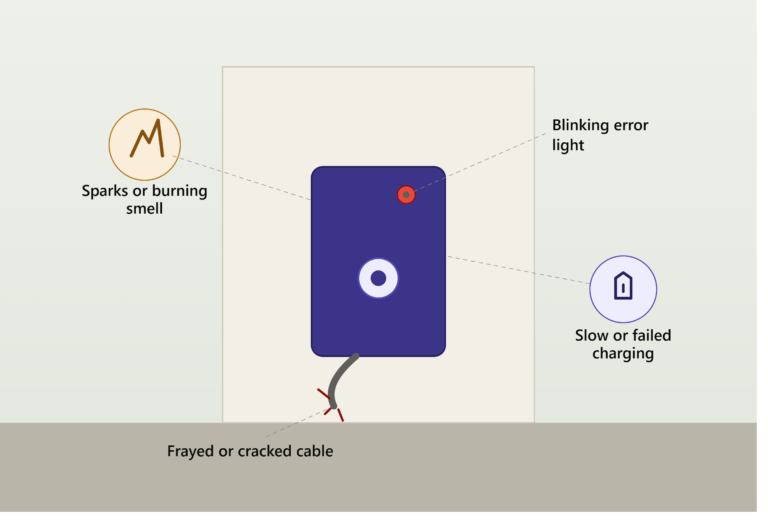
Resets clear software glitches and temporary faults — they don’t fix physical problems. If you’ve worked through all three levels and the charger still won’t function correctly, the issue is likely hardware-related: a damaged cable, a failing internal component, a wiring problem from installation, or a genuinely tripped breaker that keeps tripping (as opposed to one that simply needed to be cycled once). At that point, stop resetting and either contact the manufacturer’s support line with your unit’s serial number, or call a licensed electrician if the symptoms point toward wiring rather than the charger itself.
Bottom Line
Start with a soft reset through the app if you have one — it’s the fastest and least disruptive option, and it resolves more issues than people expect. Move to a hard reset (power cycling at the breaker) if that doesn’t work, waiting the full 30 seconds to 2 minutes before restoring power. Save a factory reset for persistent issues that survive both earlier steps, since it means reconfiguring your WiFi, schedule, and rate plan settings from scratch afterward.
This article is for general informational purposes. Only interact with your charger’s breaker or app-based controls — never open the unit’s internal housing yourself, as this requires a licensed electrician.