Every home charger communicates problems differently — some use LED color patterns, some use blink counts, and newer smart chargers push detailed messages straight to an app. None of it is intuitive until you know the pattern. Here’s how to decode what your charger is actually telling you, broken down by what’s genuinely common versus what’s rare.
The Single Most Common Issue: GFCI Ground Fault
Across virtually every brand, a GFCI (ground fault) trip is the single most frequent error home EV owners encounter — more common than any other fault on this list combined. Understanding the pattern of when it happens tells you a lot about the cause:
- Trips immediately every time you plug in: the fault is likely in the charging cable, the connector, or the vehicle’s onboard charger — not the wall wiring itself
- Trips after charging has been running for a while: this points to a heat-related issue, often thermal expansion opening a tiny crack in the cable, or an intermittent wiring problem that only shows up once components warm up
- A one-time trip that doesn’t recur: often just moisture — dry the connector and plug and outdoor cable connections thoroughly before trying again, especially after rain or high humidity
If your charger has a dedicated GFCI test/reset button (common on JuiceBox units and some ChargePoint models), use that button specifically rather than resetting the whole circuit at the breaker — it’s a faster, more targeted reset.
[AD BREAK — insert in-content ad unit here]
Tesla Wall Connector: The Flash-Count Decoder
Tesla’s Wall Connector communicates through a count of consecutive red LED flashes — genuinely one of the more useful and specific systems to memorize since it’s consistent across their charger line:
- One flash: GFCI trip — check for moisture in the connector or plug
- Two flashes: missing or improperly connected grounding wire — common on new installations if the electrician missed or didn’t properly seat the ground connection
- Three flashes: high temperature detected — the unit is throttling or stopping charging to prevent overheating, common in summer; check for shade or improve ventilation around the unit
- Four flashes: lost internet connection — charging continues normally, but you’ll lose app updates and remote control until connectivity is restored
- Five flashes: power-sharing communication issue, relevant only if you have multiple linked Tesla chargers that have lost contact with each other
Separately, no lights at all on a Tesla Wall Connector indicates a power supply issue and charging has been disabled entirely — verify the power supply is on, and if the problem persists, an electrician should check for voltage at the terminal block with a multimeter. A solid red light (not blinking) indicates an internal fault requiring the circuit to be turned off and the unit inspected before further use.
ChargePoint: LED Ring Plus App Messages
ChargePoint chargers use a light ring around the unit combined with more detailed messages in the ChargePoint app — check the app first for the clearest picture of what’s actually wrong. Common faults include:
- Ground fault: red or flashing red ring, charging stops immediately on plug-in — same underlying issue as the GFCI trips described above
- Overcurrent/overload: charging stops after a few seconds to minutes, with the app indicating the current limit was exceeded
- Overvoltage or undervoltage: the app reports line voltage outside the acceptable range, and charging is disabled as a protective measure — if this happens consistently rather than as a one-time event, it’s worth contacting your utility, since it may reflect a power quality issue on their end rather than a fault in your charger
- Vehicle overcurrent detection: the charger detects the connected vehicle is drawing more current than expected — reducing the vehicle’s charge current setting in its own app often resolves this; if it persists and continues to affect the same vehicle repeatedly, that’s worth reporting to the vehicle manufacturer directly
[AD BREAK — insert in-content ad unit here]
What LED Colors Generally Mean Across Brands
While exact patterns vary by manufacturer, most home Level 2 chargers follow a broadly similar color logic:
- Green or blue, solid: standby, ready to charge
- Green or blue, pulsing/blinking: actively charging
- Red, solid: an internal fault has disabled charging — stop and investigate before trying again
- Red, blinking: a specific fault code, usually decodable by counting flashes or checking the app (see Tesla’s system above as an example)
- No light at all: power supply issue — confirm the breaker hasn’t tripped and the unit is receiving power at all
Since exact meanings differ by brand and even by model generation, keep your specific charger’s manual or its quick-reference card somewhere easy to find (a photo in your phone works well) rather than relying on memory during an actual fault.
When an Error Code Means “Call an Electrician,” Not “Keep Troubleshooting”
A few situations move past normal self-service troubleshooting:
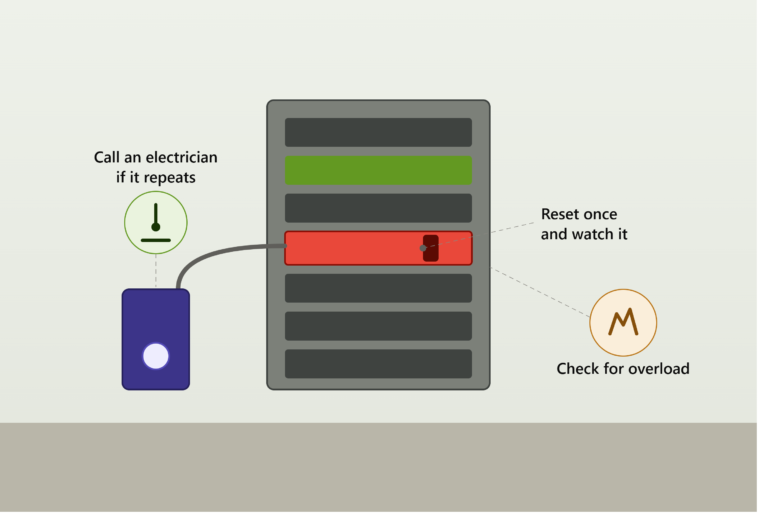
- A breaker that trips immediately or shortly after starting a charge, especially if accompanied by a pop or burning smell near the panel — stop immediately and don’t attempt to reset it yourself
- A persistent red fault on a new or recently upgraded circuit — this can indicate a wiring problem introduced during installation, and continuing to use the outlet risks overheating behind the wall long before you’d notice any visible sign of trouble
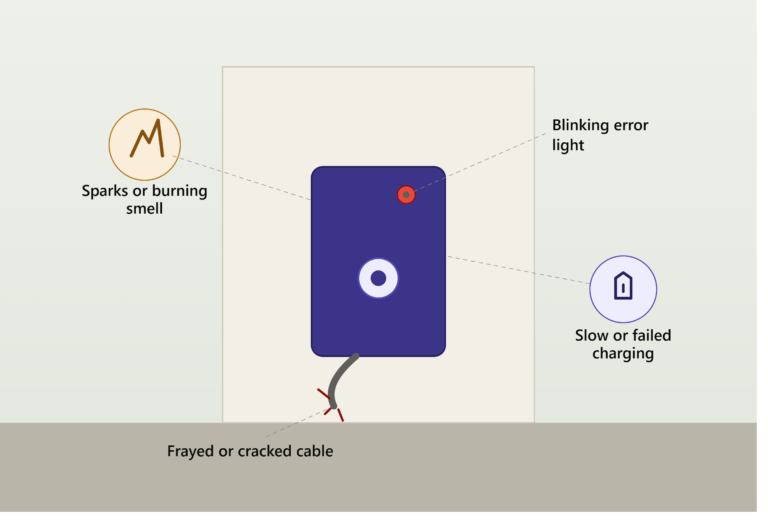
- Cable insulation showing cracks, cuts, or visible internal conductors — this is a straightforward safety issue requiring cable replacement, not troubleshooting
- Repeated overvoltage or undervoltage errors that don’t resolve — this points to a utility-side power quality issue worth reporting to your electric company directly
A Note on Older or Discontinued Charger Brands
If your charger’s app no longer works or shows outdated information (JuiceBox owners in particular may have lost cloud connectivity following their parent company’s 2024 shutdown — see our guide on smart chargers for details), the physical LED patterns on the unit itself typically still function even without app support, since those are usually hardwired into the charger’s firmware rather than dependent on a cloud connection. Check the unit’s physical light patterns directly if the app is unreliable or unavailable.
Bottom Line
Most EV charger error codes boil down to a small handful of root causes — ground faults (by far the most common), overheating, grounding issues from installation, or simple power interruptions — regardless of how differently each brand chooses to display them. Learn your specific charger’s LED pattern or check its app for plain-language messages, and reserve calling an electrician for repeated breaker trips, any sign of heat or physical damage, or faults that persist after basic resets.
Error code meanings vary by specific charger model and firmware version. Consult your charger’s manual or manufacturer support for guidance specific to your unit, and contact a licensed electrician for any fault involving your home’s wiring or electrical panel.